
Microsoft Clarity - Setting Up with GatsbyJS & First Impressions
Add Microsoft Clarity analytics to the GatsbyJS website in a simple step. Also, a quick look at what Microsoft Clarity offers.
commit 66d697c · authored · amended · 3 min read

I’m impressed. From a long-term Google Analytics user point, Clarity provides more info about the actual user interactions on the website.
Getting started was pretty easy.
- Sign-up here, it’s FREE.
- Create a Clarity project for your website.
- Integrate with your website.
There are already some direct integrations available. In my case, I have opted for the Install tracking code manually.
Integrating Microsoft Clarity with GatsbyJS website
Official plugin
Step 1 Navigate to the root of your Gatsby project.
Step 2 Open your preferred command line and run one of the following commands.
npm install gatsby-plugin-clarityor
yarn add gatsby-plugin-clarityStep 3 Navigate to gatsby-config.js.
Step 4 Add the following to your plugins array
{ resolve: `gatsby-plugin-clarity`, options: { // String value for your clarity project ID clarity_project_id: YOUR-CLARITY-PROJECT-ID, // Boolean value for enabling clarity while developing // true will enable clarity tracking code on both development and production environments // false will enable clarity tracking code on production environment only enable_on_dev_env: true },}The Clarity tracking code is now installed.
Legacy way of installing [DEPRECATED]
It is very similar to adding Google AdSense as described in my older post here,
👉 GatsbyJS - Add Google AdSense
All you have to do is, update your gatsby-ssr.js with the below code (if there is no gatsby-ssr.js file on your project directory then create one at the root).
import React from "react";
export const onRenderBody = ({ setHeadComponents, setPostBodyComponents }) => {  const pluginOptions = {    head: true,  };  if (process.env.NODE_ENV !== `production`) {    return null;  }
  const setComponents = pluginOptions.head    ? setHeadComponents    : setPostBodyComponents;  return setComponents([    <script      async      type="text/javascript"      dangerouslySetInnerHTML={{        __html: `      (function(c,l,a,r,i,t,y){        c[a]=c[a]||function(){(c[a].q=c[a].q||[]).push(arguments)};        t=l.createElement(r);t.async=1;t.src="https://www.clarity.ms/tag/"+i;        y=l.getElementsByTagName(r)[0];y.parentNode.insertBefore(t,y);    })(window, document, "clarity", "script", "<YOUR-CLARITY-PROJECT-ID>");      `,      }}    />,  ]);};
Replace <YOUR-CLARITY-PROJECT-ID> with your Clarity project ID.
The embedded script you can view at Clarity Project > Settings > Setup > Install tracking code manually.
onRenderBody is a Gatsby SSR API, called after every page Gatsby server renders while building HTML so you can set head and body components to be rendered in your html.js.
Build the project (gatsby build) and see whether the AdSense snippet is present in the build output HTML (gatsby serve).
You can also refer to the same used in my repo itself.
Once you have done the integrations and if the site is live, after a few minutes you will start seeing the metrics getting populated in the Clarity Dashboard.
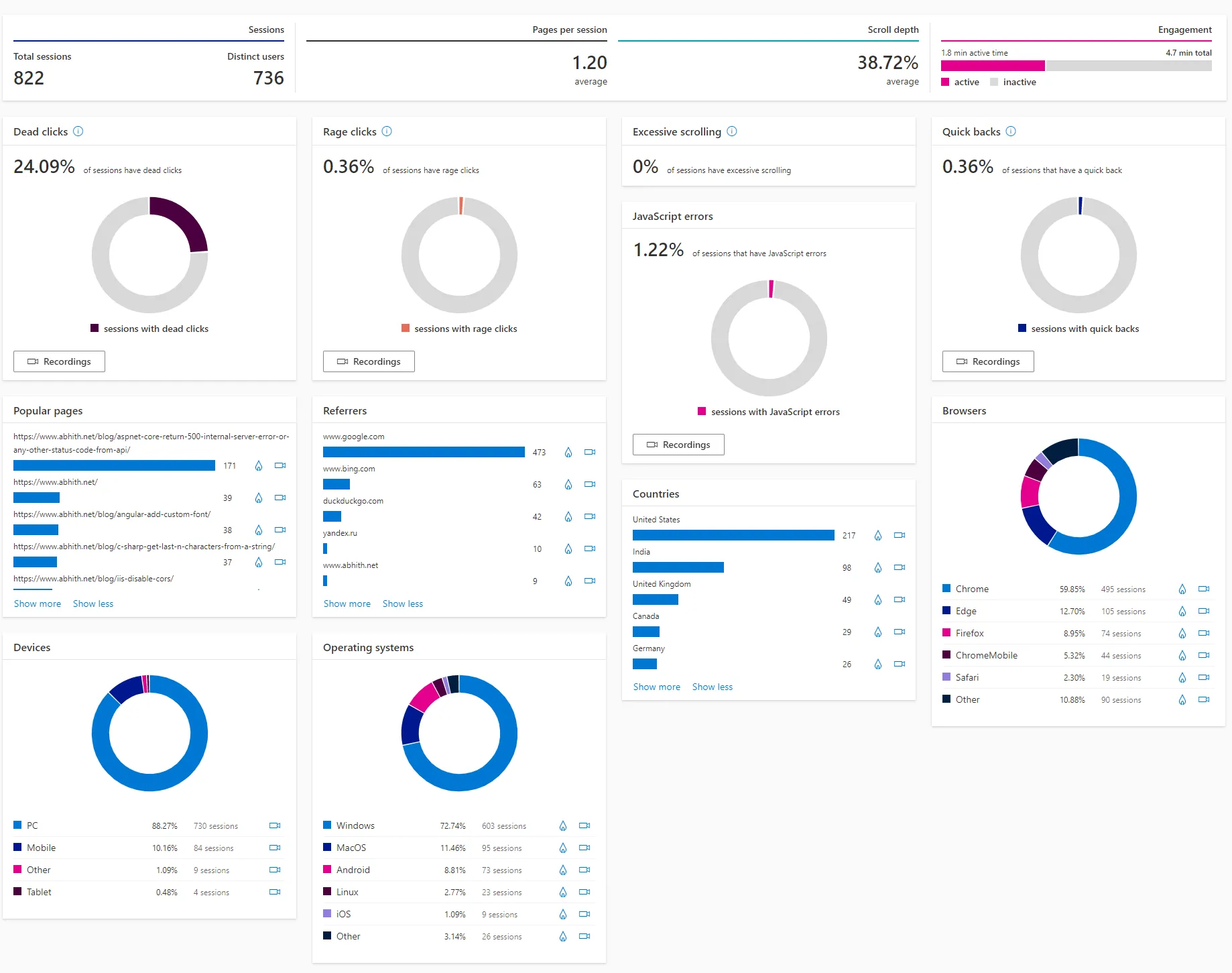
Dashboard
It is pretty clean and minimal. And it looks like,
Recordings
It’s a dope feature. Exactly what each user did, like actual screencast of user interactions on that page with clicks and all. There is a sound indication for mouse clicks as well, Nice.
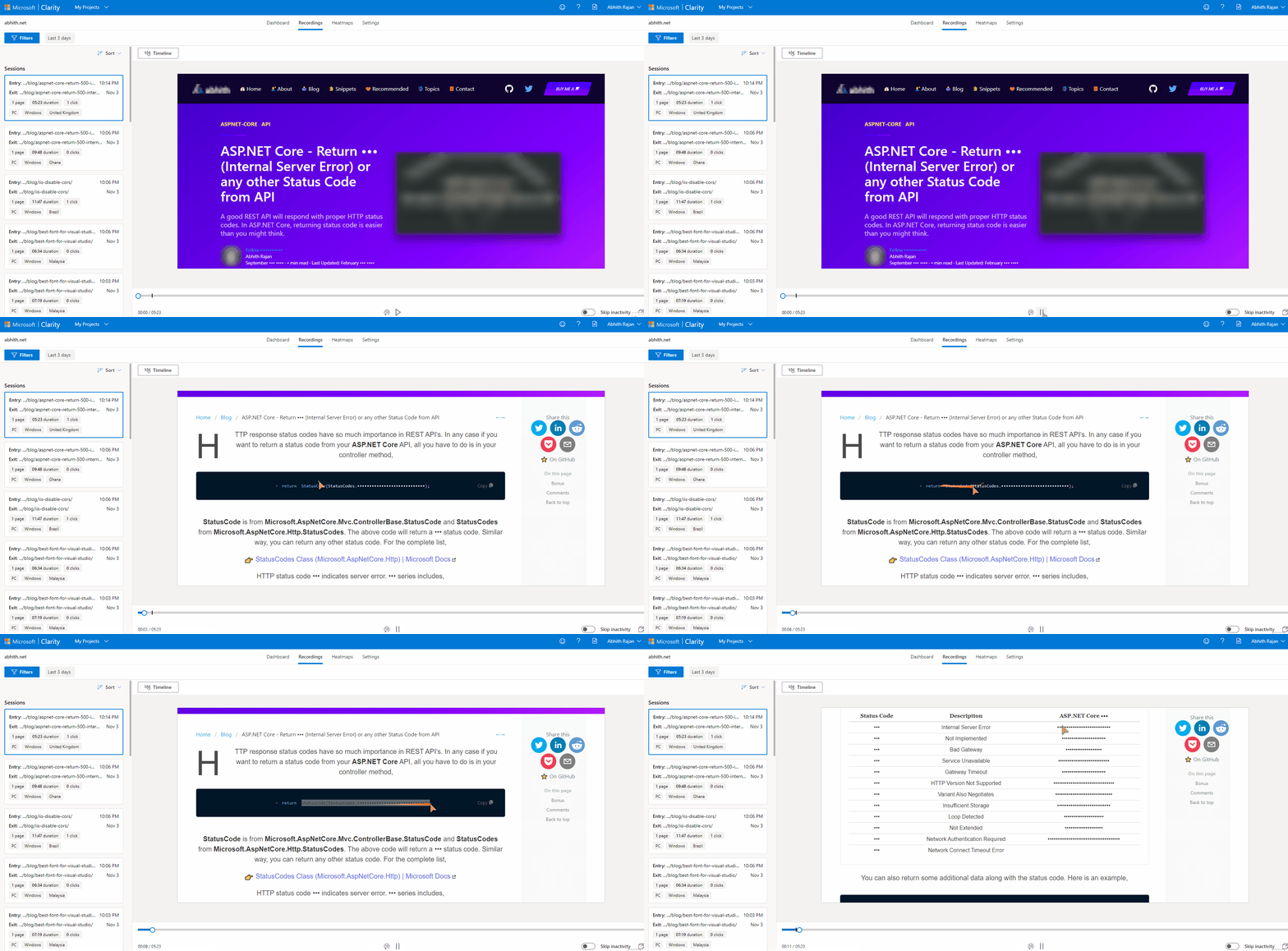
It will help website managers to understand how the user is interacting with each element/section on the web page.
Also, sensitive data masking and other privacy concern are taken care of by Clarity automatically.
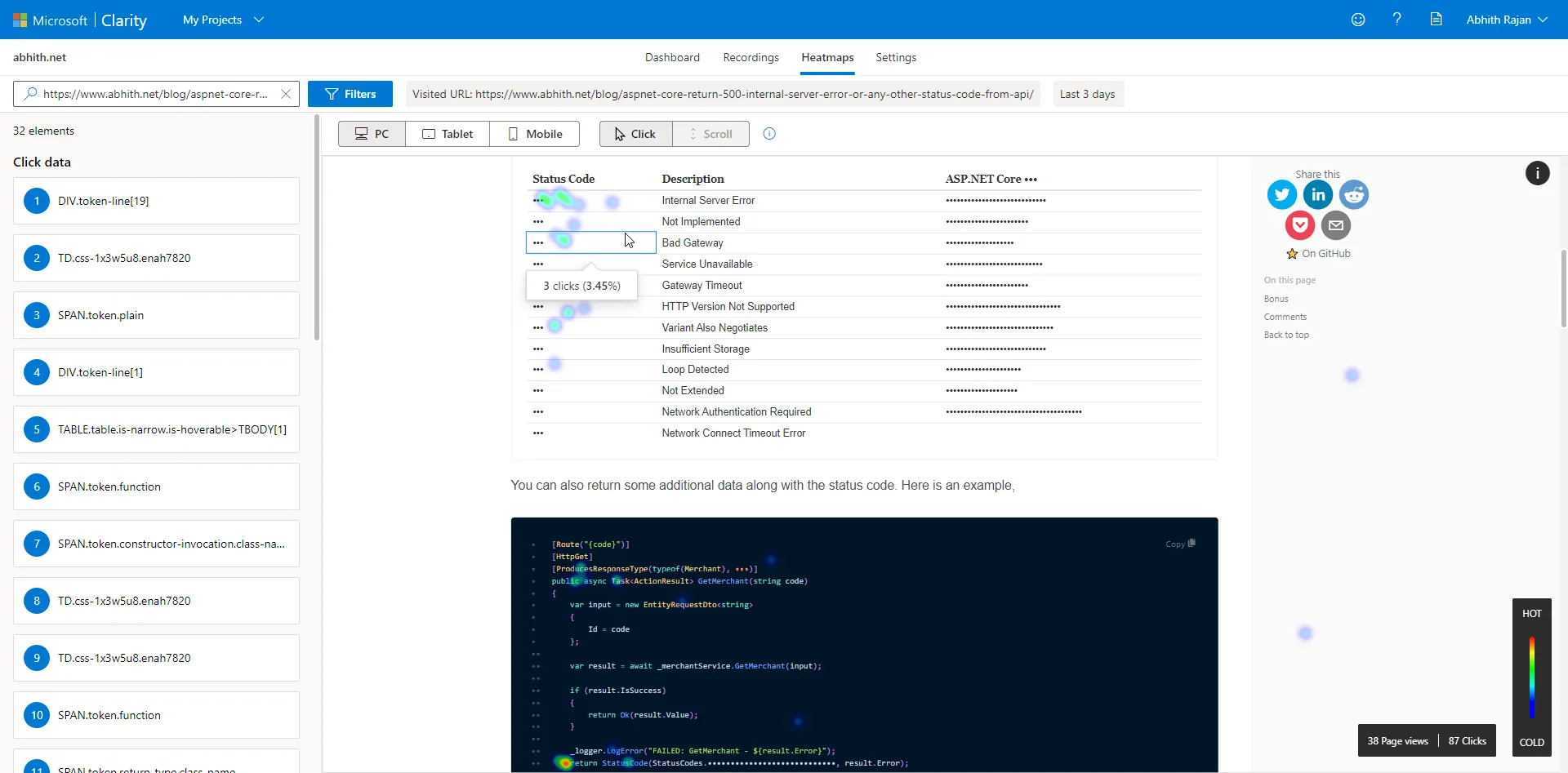
Heatmaps
As the name suggests, most interacted areas will be visualized here.
If you are concerned about the data it collects, privacy, etc, one fact is that it is an opensource project. So you can have a look at it,
I’m impressed with Microsoft Clarity. It’s not(yet) a replacement for Google Analytics, but I would recommend you to try it out and see how you can make use of it.
Additional Resources
Microsoft Clarity - I'm impressed
— Abhith Rajan (@AbhithRajan) November 3, 2020
https://t.co/JqYbcIZlwz #Analytics #MicrosoftClarity
